Private photo atlas · For macOS · Apple Photos · iPhoto · Aperture

Chart every Photos library,
wherever it lives.

Calypso Photo turns scattered Apple Photos libraries into a navigable photo atlas. Scan external drives, browse thumbnails, map places, tag favorites, detect duplicates across collections and export originals from Photos, iPhoto and Aperture libraries — without ever modifying the source.

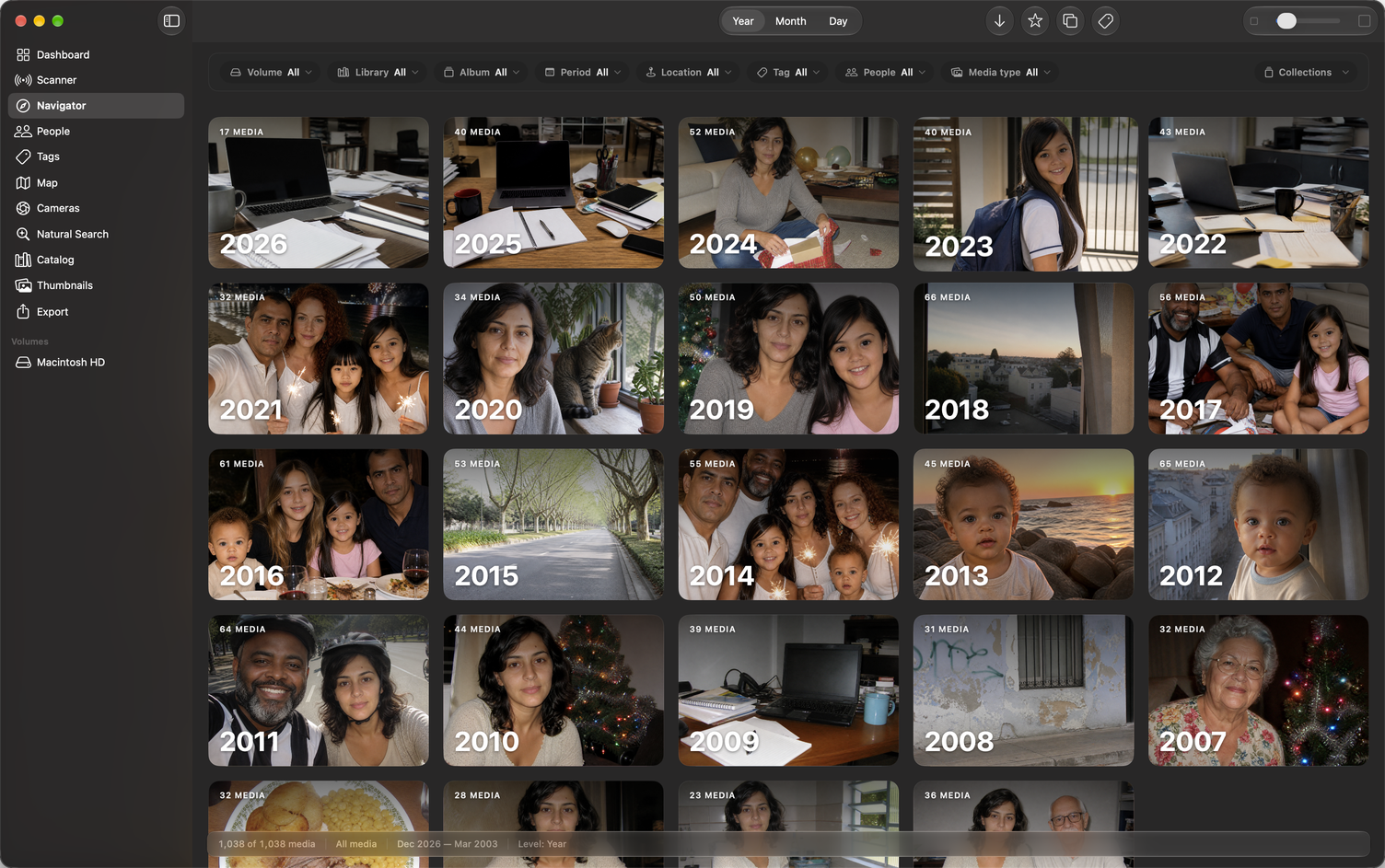
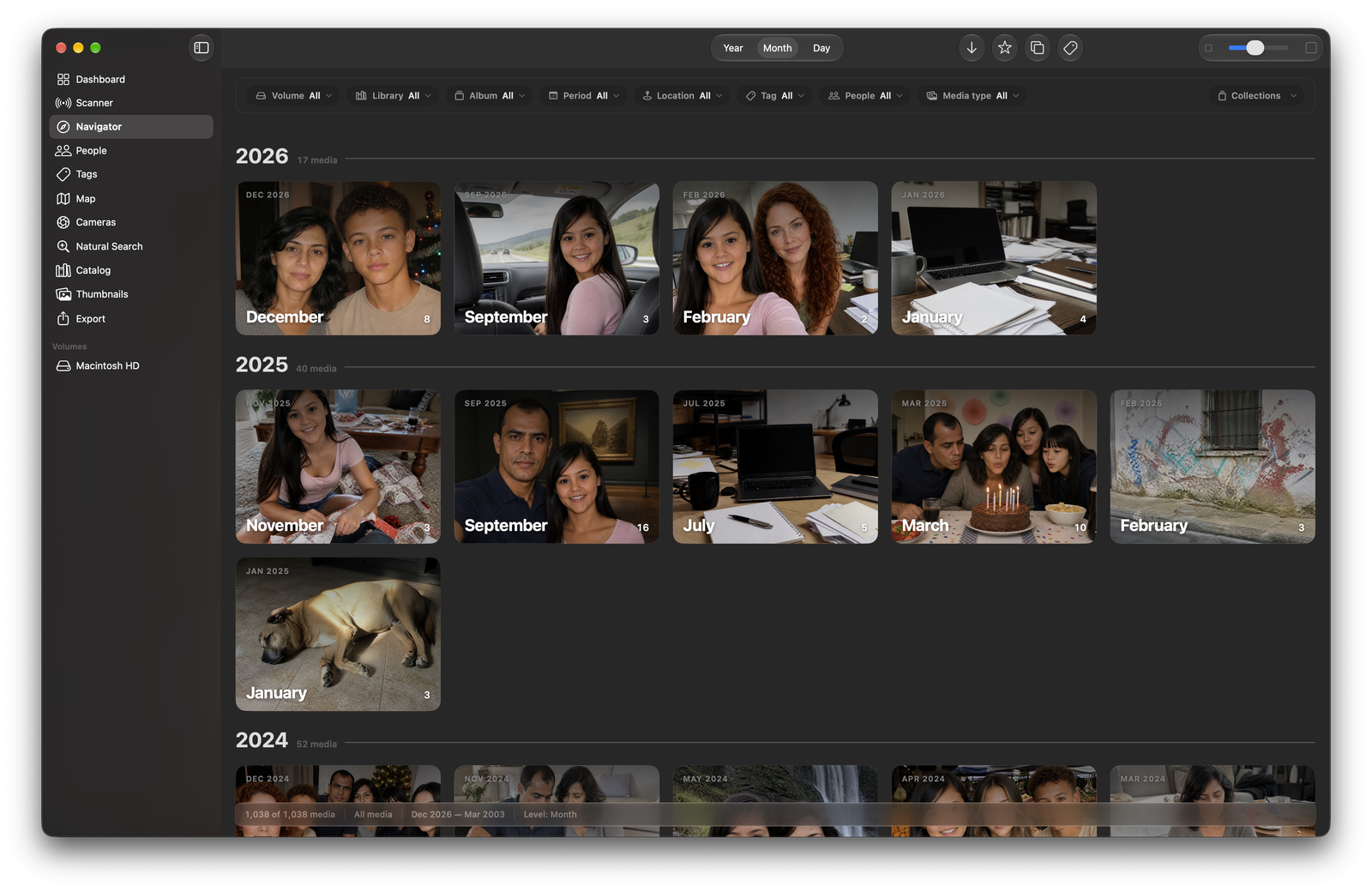
  • ✓ Navigate every photo by year, month and day — without opening Photos.app
  • ✓ Find the same media duplicated across different libraries and drives
  • ✓ Tag a photo once and let the tag reach every copy — then export by tag
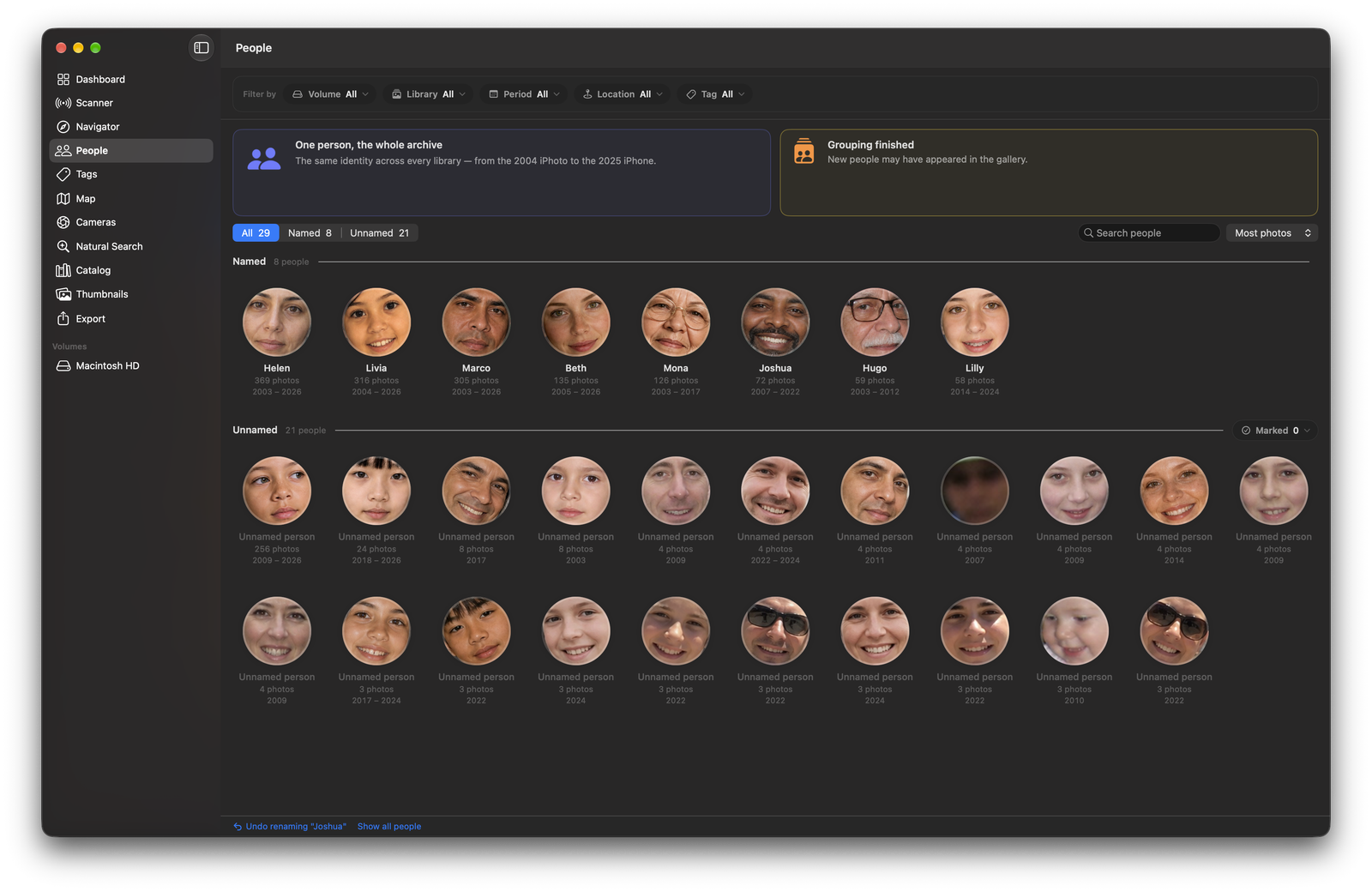
  • ✓ Recognise the same person across every library — from the 2004 iPhoto to today's iPhone
  • ✓ Keep your photos on the desktop in widgets that change every hour
  • ✓ 100% local · read-only source · nothing is uploaded to the cloud
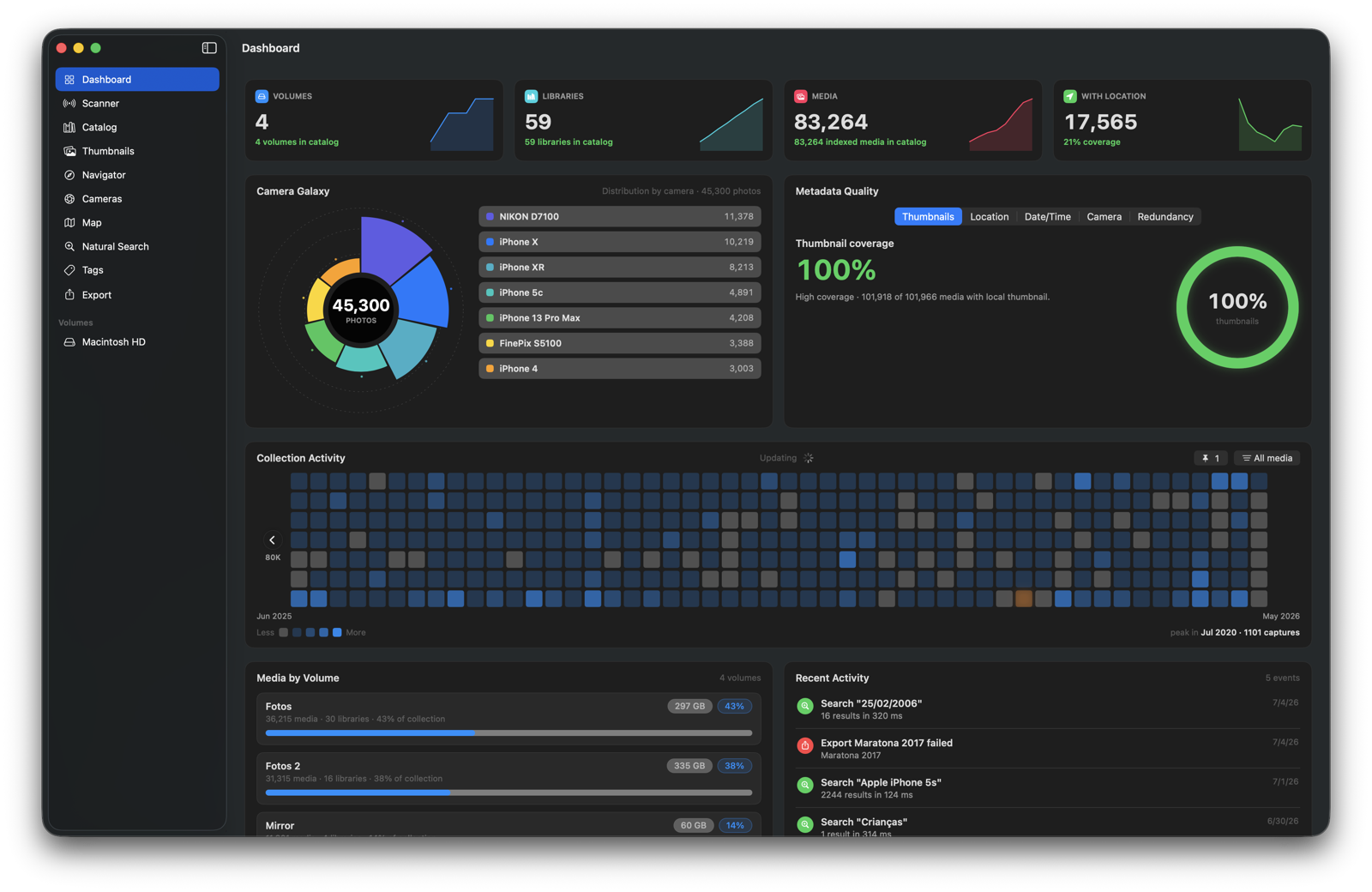
Calypso Photo — App Navigator / Dashboard
3
library generations read: Photos, iPhoto & Aperture
libraries and volumes gathered into one catalog
100%
read-only — the source is never modified
0
bytes sent to the cloud or to any server
Why Calypso Photo

Your photo archive is an ocean. Calypso gives you the chart.

Family photos scattered across external drives. Old iPhoto libraries. Migrated Aperture archives. Duplicate backups. Forgotten trips, cameras and albums hidden on disks you rarely connect. Calypso Photo was built to explore that archive without disturbing it.

🗂️

Multiple libraries, one atlas

Point it at an entire volume (e.g. /Volumes/Photos 2) and Calypso Photo discovers every .photoslibrary and .migratedphotolibrary recursively — producing a consolidated catalog. Drag several volumes and libraries at once to get started.

🧭

Explore libraries Photos can no longer open

Works on legacy RK libraries, migrated iPhoto libraries (with only AlbumData.xml) and converted Aperture libraries. No need to launch the Photos app at all.

🪞

Reveal duplicate copies across your archive

The catalog cross-references every library and spots the same media repeated across different collections — so you know what's safe to delete before touching a single file.

🔒

Originals, not derivatives

Calypso Photo exports the master/original file — the RAW, the HEIC, the iPhone ProRes, the camera .MOV. No re-compressed JPEGs or edited versions.

Discovery

A heatmap of your entire photographic life

Every day with photos becomes a block in the temporal heatmap: the busiest years jump out, the empty stretches are obvious, and one click opens that day's memories. It's the fastest way to rediscover forgotten stretches of time and browse decades of archive — without remembering which library each photo lives in.

  • See whole years at once, across every library
  • Pin the days that matter to come back to them later
  • Click a day and land straight on the photos taken then
Features

More than a catalog — a photo atlas for your Mac.

Every library becomes part of a single expedition map: visual navigation, tags, world map, search, duplicate detection, metadata quality and views built for people with years of photos across many drives.

People

The same person, across twenty years and every library

Photos only ever sees one library at a time, so the same person becomes a different stranger in each one. Calypso analyses faces on your Mac and gathers them into a single identity that spans your whole archive — the 2004 iPhoto library, the Aperture archive and last week's iPhone — with duplicated photos counted only once.

  • One gallery of everyone in the archive, ordered by how often they appear
  • Name someone once — the name holds in every library, including the ones you scan later
  • A profile per person: timeline by year, libraries, places and who they appear with
  • Merge, split, hide or correct any grouping — every action can be undone
  • Person becomes a Navigator filter; picking two shows the photos where they appear together
  • Export by person into Person/Year folders — one file per photo, duplicates collapsed
  • Faces are analysed on your Mac. No image, face or name ever leaves the computer.
Calypso Photo — People gallery
Widgets

Your archive on the desktop — and it never stops changing

Put your photos where you actually look: the macOS desktop. Four sizes — one, two, four or eight photos — showing On This Day, your Favorites, or any search you saved yourself. The pictures change every hour, and clicking one opens that photo in the Navigator.

  • Four sizes: small (1 photo), medium (2), large (4) and extra large (8)
  • Three kinds of source: On This Day, Favorites, or any collection you save
  • A collection is a saved search — filter by people, album, library, volume, tag or period in the Navigator, name it, and the widget shows it
  • A photo with exactly one named person is labelled "Ana · 2015"; On This Day marks each photo with its year
  • New photos every hour — and it keeps going with Calypso closed, even with the external drive disconnected
  • Click a photo to open it in the Navigator; click beside it to open the whole source
  • The widget never reads your libraries: Calypso prepares a small set of images just for it

Calypso Photo — Large widget on the desktop showing Favorites
Previewer

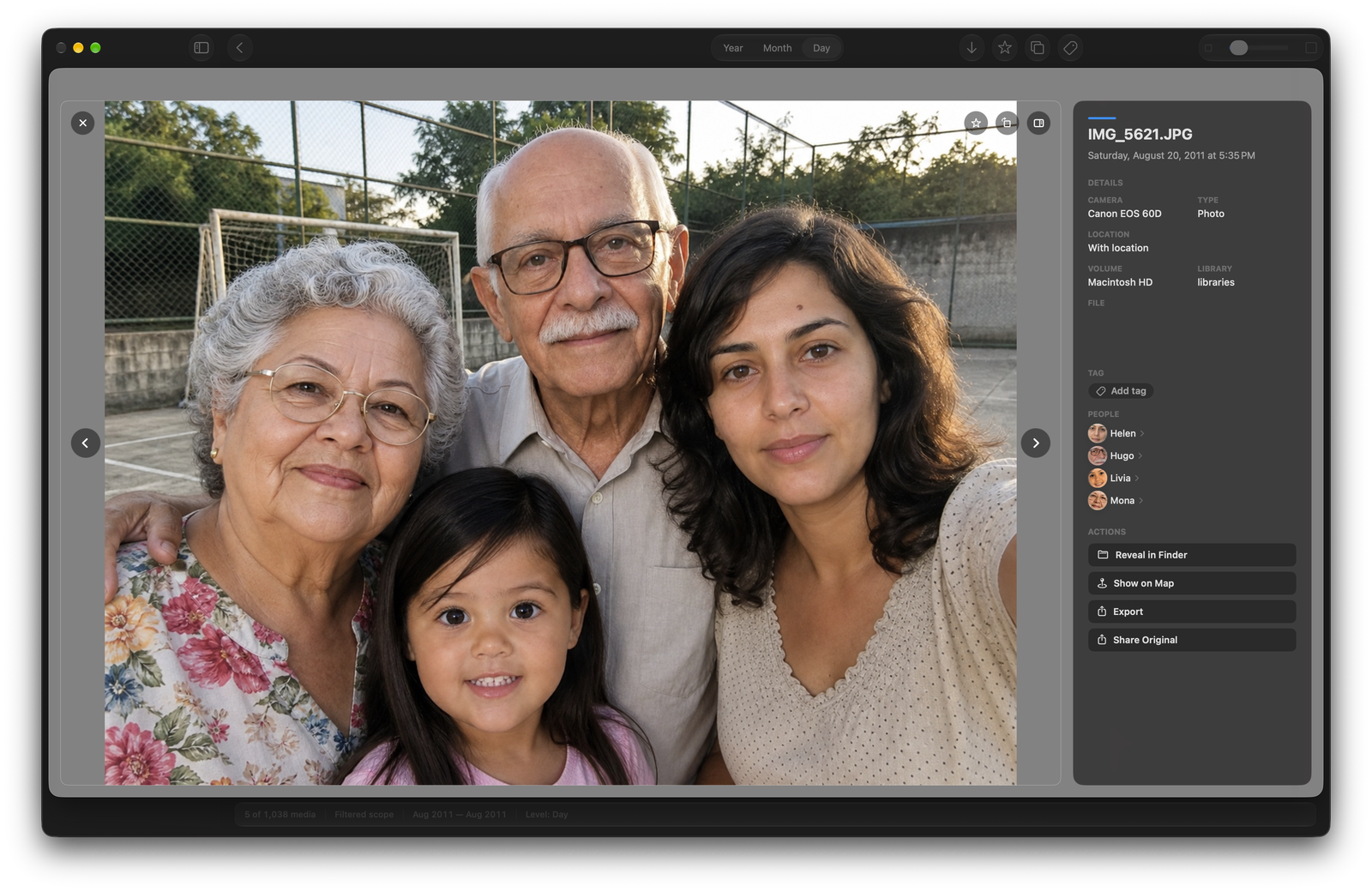
View full-screen and jump straight to Finder or the Map

One click and any photo opens in a HUD-style previewer. From there you can reveal the original in Finder, show the spot on the Map, rotate the image, share it, or step through the other copies of the same media scattered across your libraries.

  • Reveal the original file in Finder
  • Show the photo on the Map with one click
  • Rotate the image and share straight from the previewer
  • Navigate between instances/duplicates of the same media
Calypso Photo — Media Previewer
Map

Chart the world behind your photos

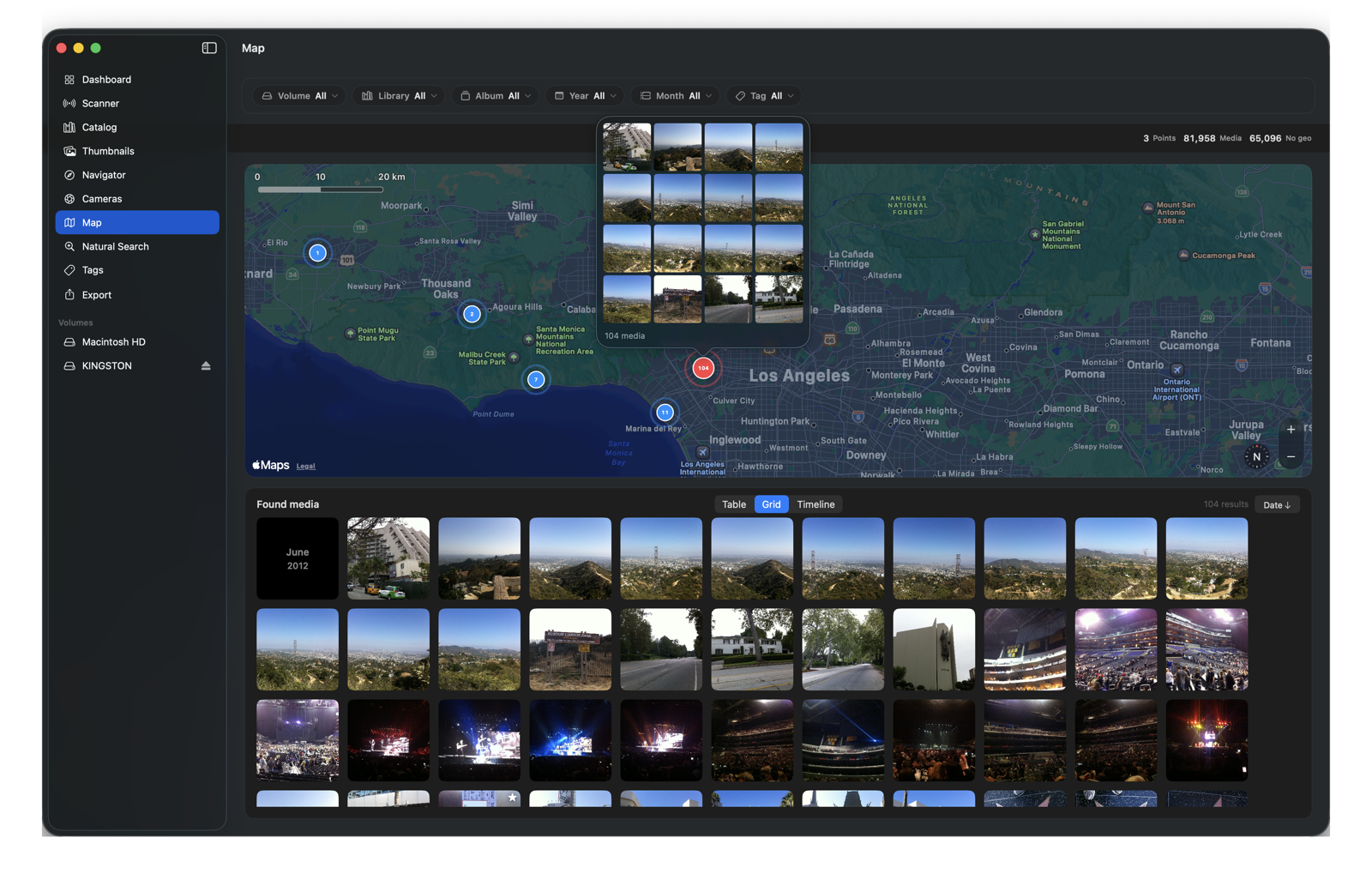
Every geotagged photo from every library, gathered on a single interactive world map. Filter by volume, library, album, year, month or tag and tap anywhere to relive the photos taken there — rediscover old trips without remembering which library they're in.

  • Every library plotted on a single world map
  • Filters by volume, library, album, year, month and tag
  • Tap a place to see the media taken at that spot
Calypso Photo — Interactive map
Tags

Tag once — the tag reaches every copy

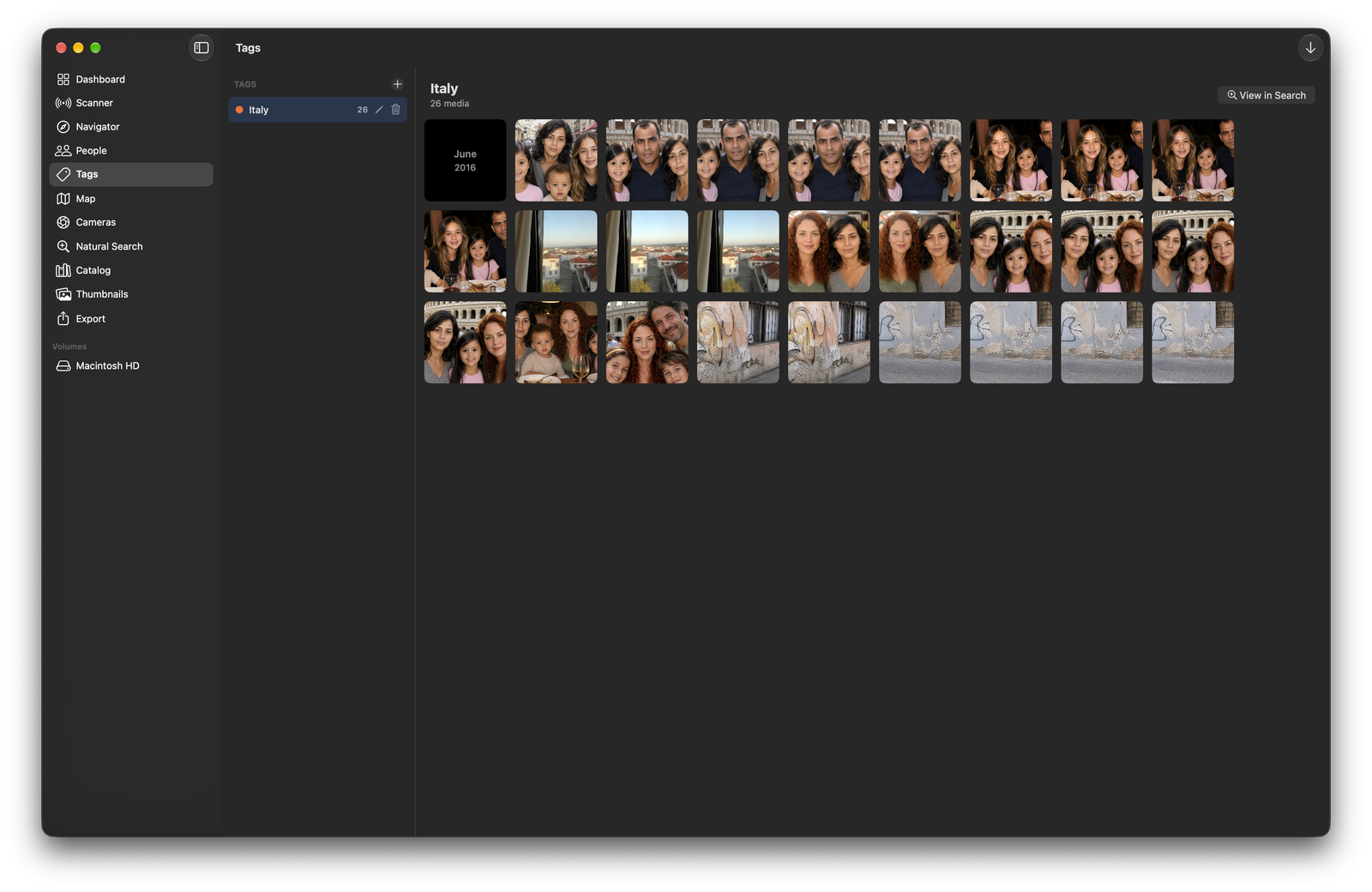
Create color-coded tags and organize your collection your way: "Wedding", "Best of the trip", "Print". Since the catalog knows your duplicates, tagging one photo propagates the tag to every copy of the same media across all libraries — and rescanning never erases anything.

  • Dedicated Tags screen with media counts per tag
  • A tag assigned to one photo applies to all of its duplicates, across libraries
  • Filter by tag in the Navigator and on the Map
  • Tags belong to the catalog: they survive rescans and are included in backups
Calypso Photo — Tags screen
Camera Galaxy

The most beautiful constellation of your photographic life

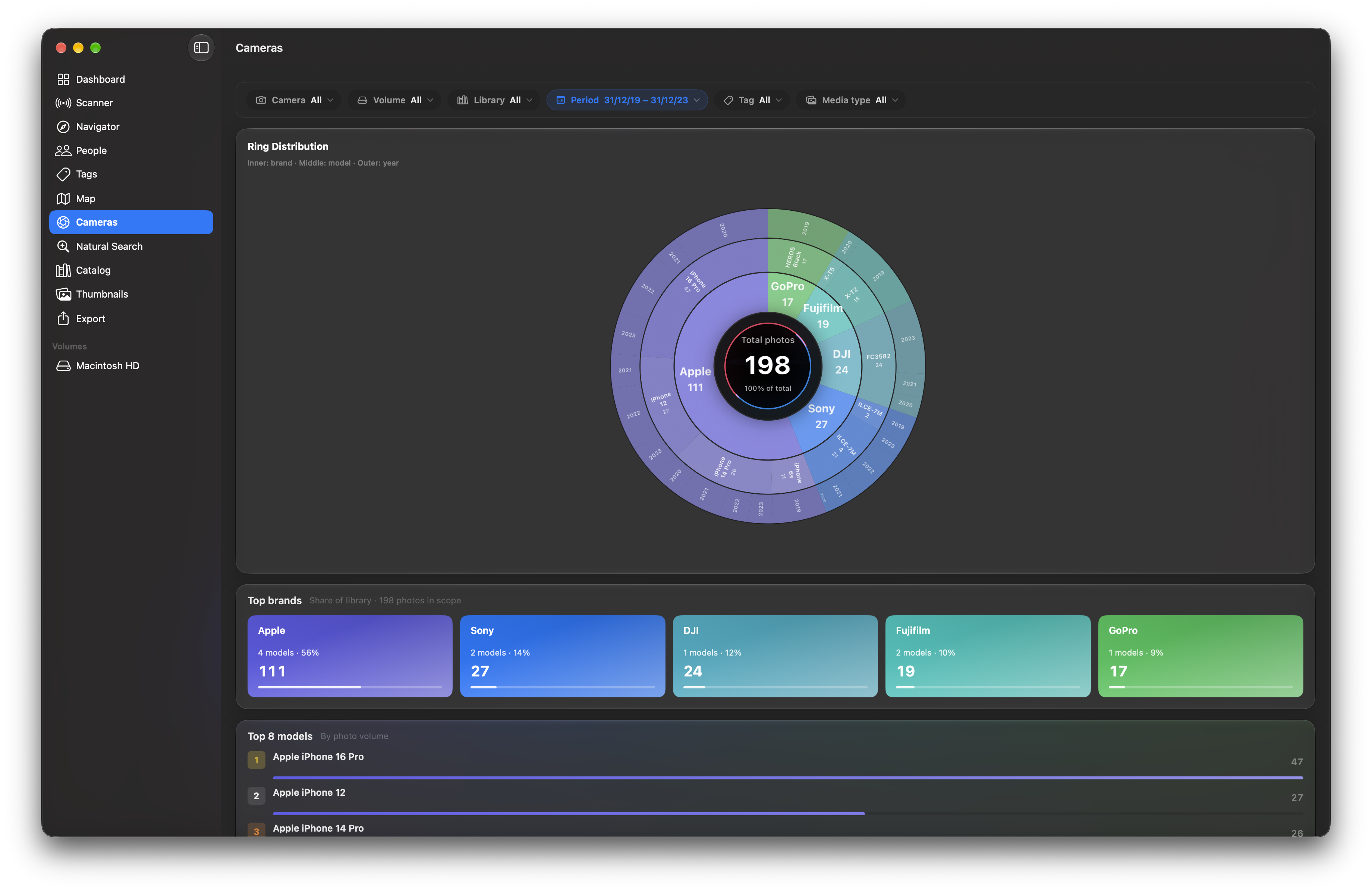
A circular sunburst where every ring is a camera brand, every slice a model, every year a layer. See in seconds which cameras shaped your memories over time — from the iPhone 3GS to the latest Sony Alpha.

  • Interactive, clickable sunburst — ring by ring
  • Drill-down by brand → model → year
  • Reads make/model even from legacy libraries (EXIF straight from the originals)
  • Connects to Search to filter by the selected camera
Calypso Photo — Camera Galaxy (sunburst)
Search

Search the atlas with words, not filters

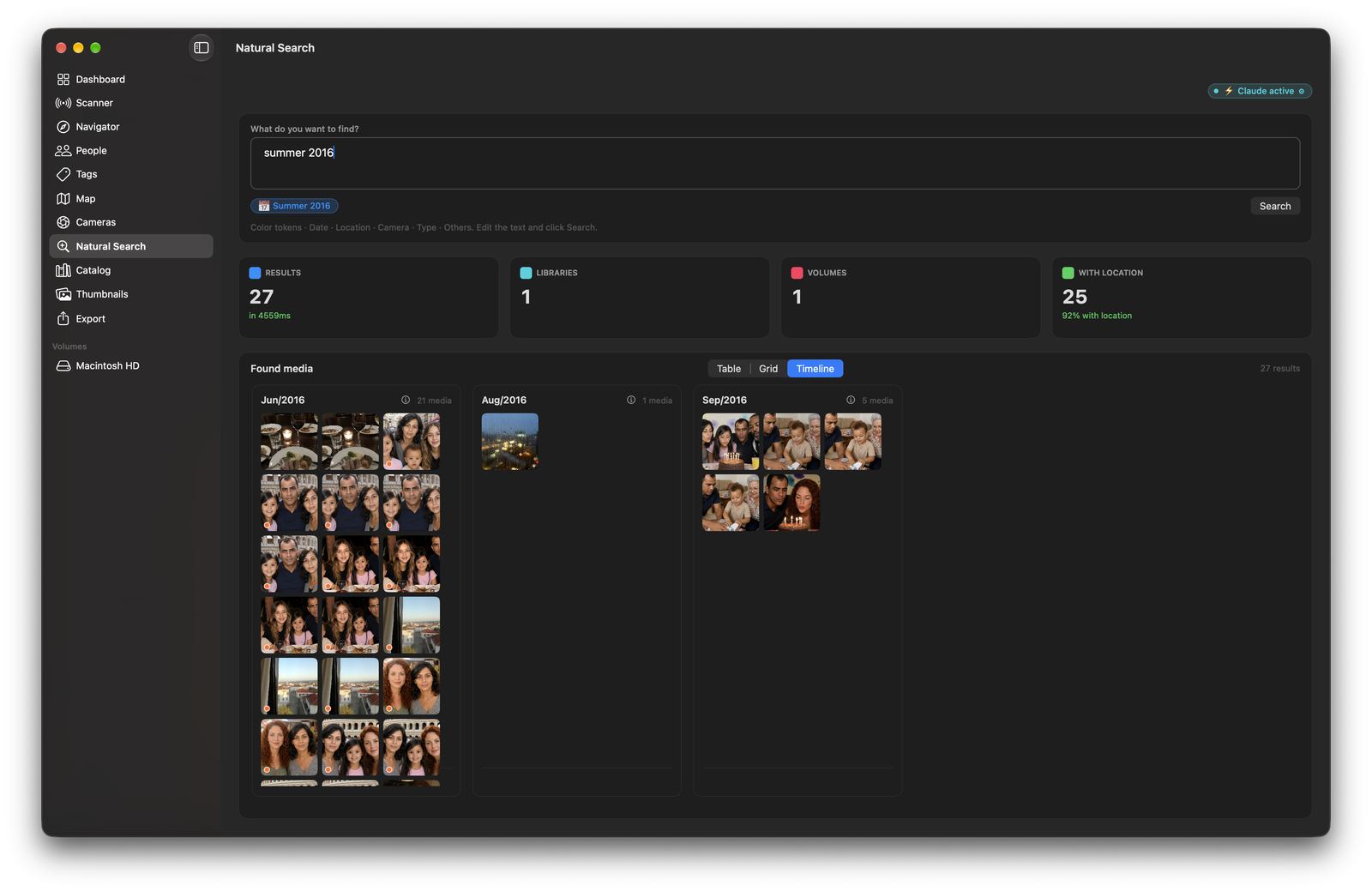
"Photos taken with the Canon between 2014 and 2017" or "my favorites from 2019" — natural-language search translates what you type into structured filters over the unified catalog, covering dates, cameras and favorites.

Calypso Photo — Natural-language search
Dashboard

Library health at a glance

Quality gauges, activity cards, distribution by volume and a capture heatmap across the years — where you can pin the days that matter to come back to them later. Everything you need to know before making any decision.

  • Overall health donut gauge
  • Temporal heatmap with pinnable days (pin/unpin) and thumbnail mosaics
  • Quality, volume and recent-activity cards
Calypso Photo — Full Dashboard
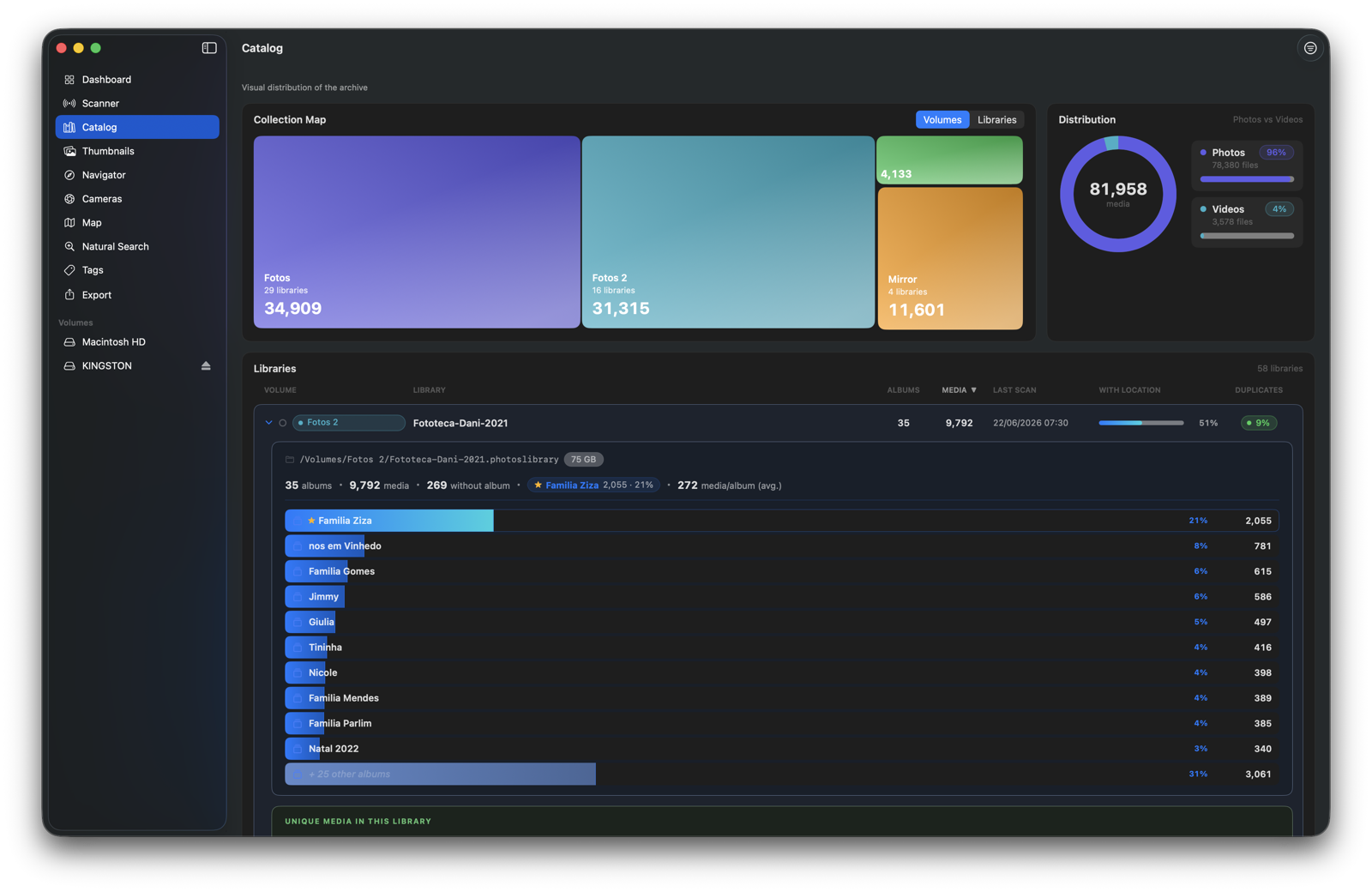
Catalog

A unified atlas across all your libraries

Merge N libraries into a single view. Treemap by volume, photo/video distribution, live counters and drill-down into nested albums — with a duplicate column to see the overlap between collections.

  • Treemap by volume and by library
  • Library cards with live counters and a duplicate column
  • Safe library/catalog deletion (the source is never touched)
Calypso Photo — Catalog screen
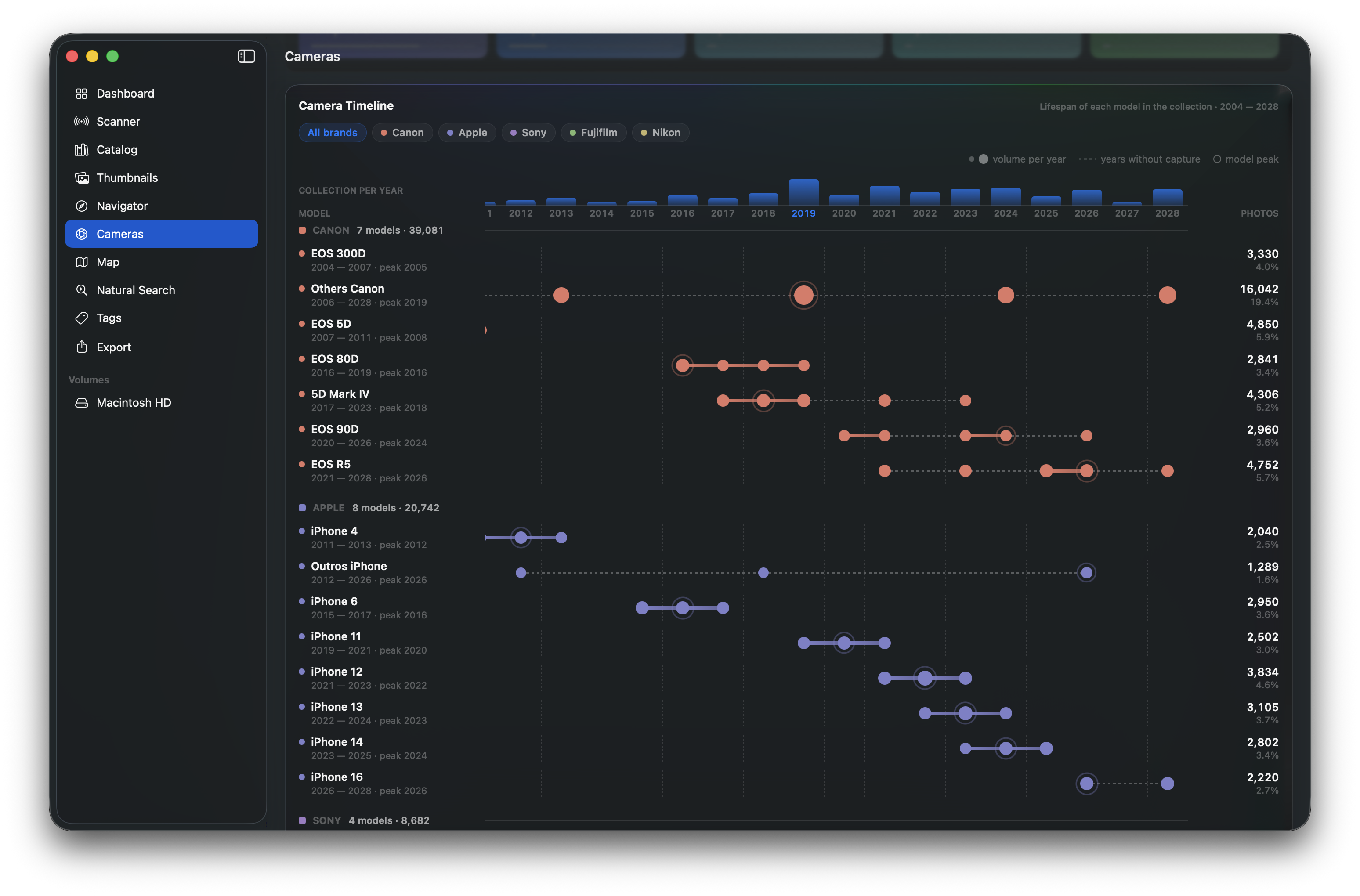
Camera Timeline

Your gear, laid out across the years

A chronological view of every camera you ever shot with. Each row is a device, each bar the span of time it was in your hands — so you can see at a glance when each camera entered and left your life and how they overlapped.

  • One track per camera, ordered along a real time axis
  • Spot when you switched bodies or overlapped systems
  • Built from the same EXIF the Camera Galaxy reads
  • Click a camera to filter your photos in Search
Calypso Photo — Camera Timeline
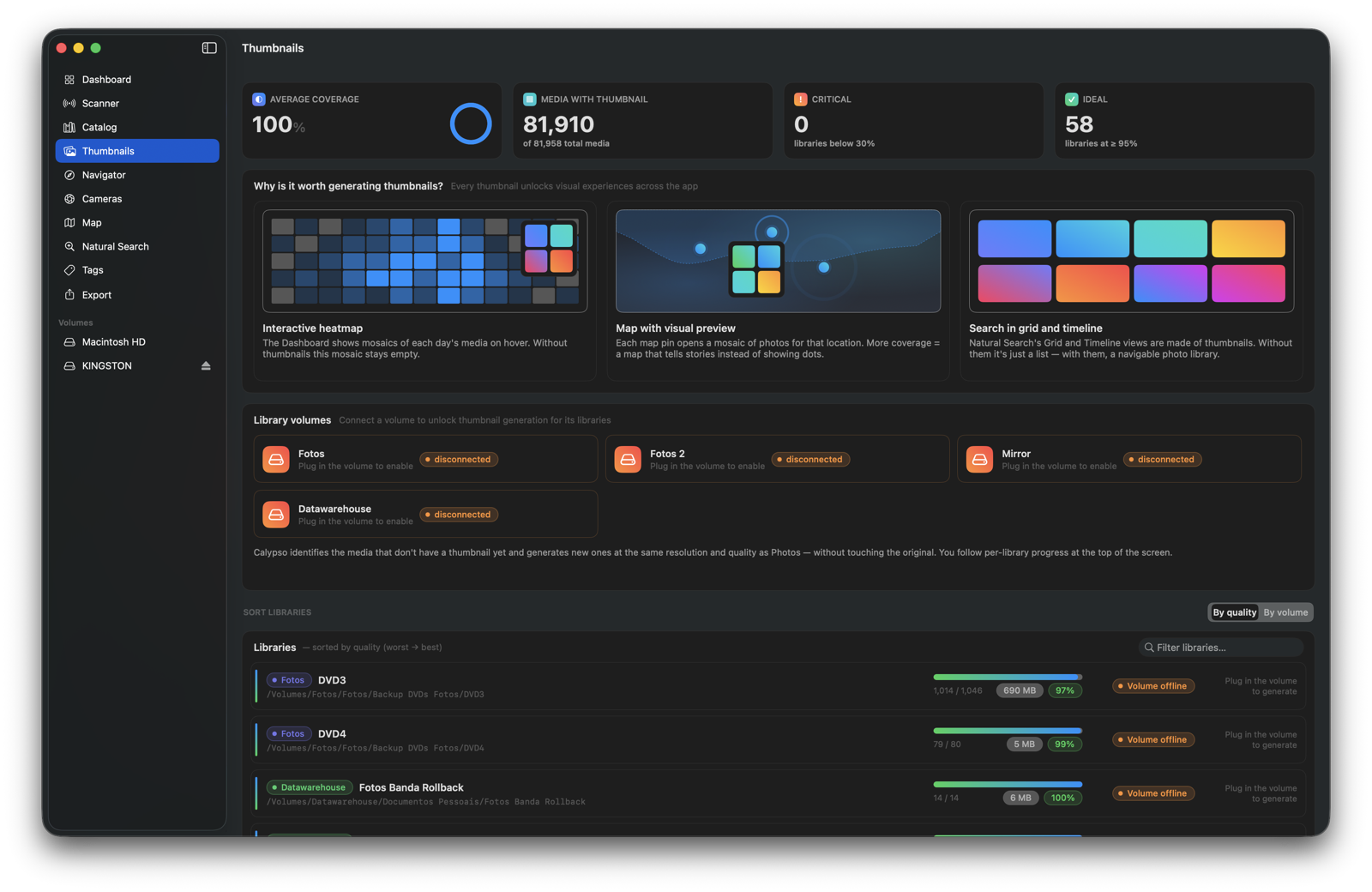
Thumbnails

Crisp thumbnails, generated from your originals

When Photos.app can no longer open the library, the thumbnails vanish. Calypso Photo reuses existing derivatives and generates new thumbnails straight from the originals, using the same quality profile as Photos.

  • Thumbnail coverage per library
  • On-demand generation in a parallel queue
  • Works with external volumes — reacts to plug/unplug
Calypso Photo — Thumbnails screen
Export

Precise export — by location or by tag

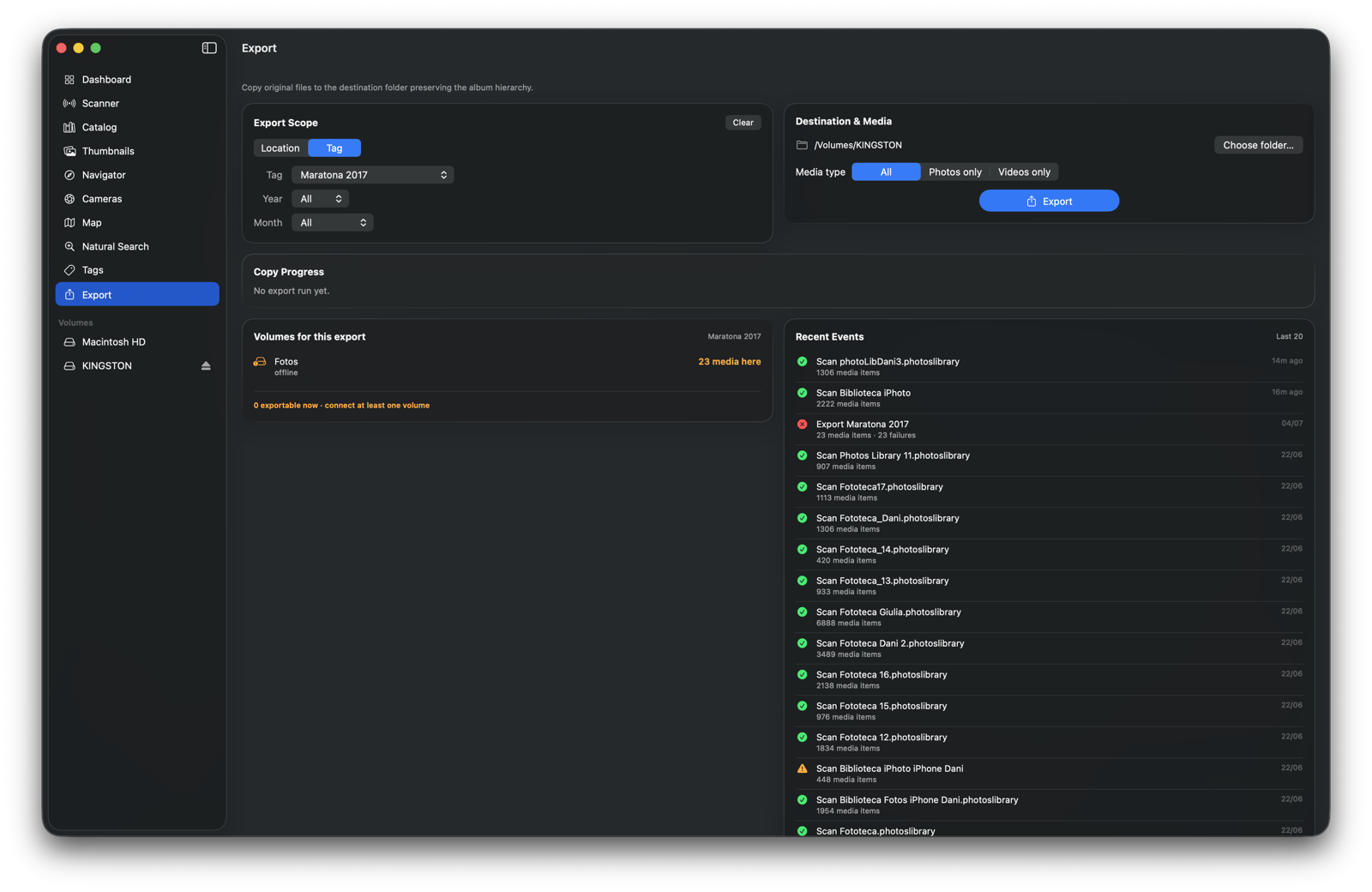
Two scope modes: By location, with the volume → library → album → year → month cascade, or By tag, where the tag is the primary dimension. In tag mode, the app copies one file per duplicate group — no exporting the same photo five times — organized into Tag/Year folders.

  • Photos only, videos only or both; refine by year and month
  • 1 file per duplicate group, preferring connected volumes
  • Media only on disconnected volumes? The app warns first and offers to export what's reachable
  • Preview of what will be copied, automatic filename collision resolution and per-library reports
Calypso Photo — Export screen (tag mode)
Duplicates & Redundancy

Find what's duplicated — before deleting anything

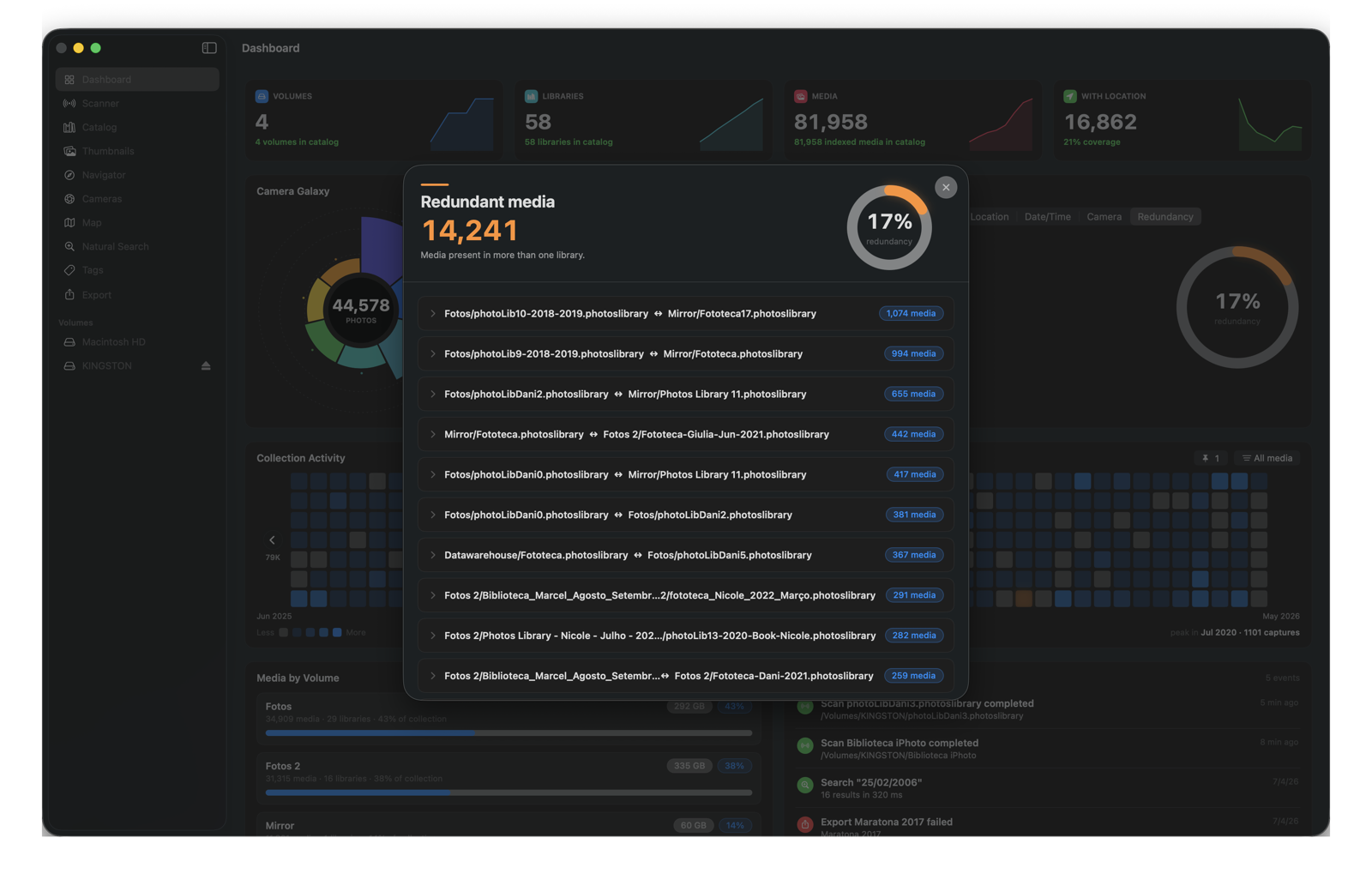
The catalog cross-references every library and finds the same media repeated across different collections, matching even the modern iPhone (renamed UUID) with the old iPhoto IMG_1234. A redundancy indicator shows how much of your collection is duplicated, with a pair-by-pair detail view.

  • Cross-library detection by metadata signature
  • Redundancy indicator on the Dashboard (gauge + counter)
  • Detail view with library pairs and drill-down into the shared media
Calypso Photo — Redundancy detail
Backup & Restore

Your catalog, safe from fresh starts

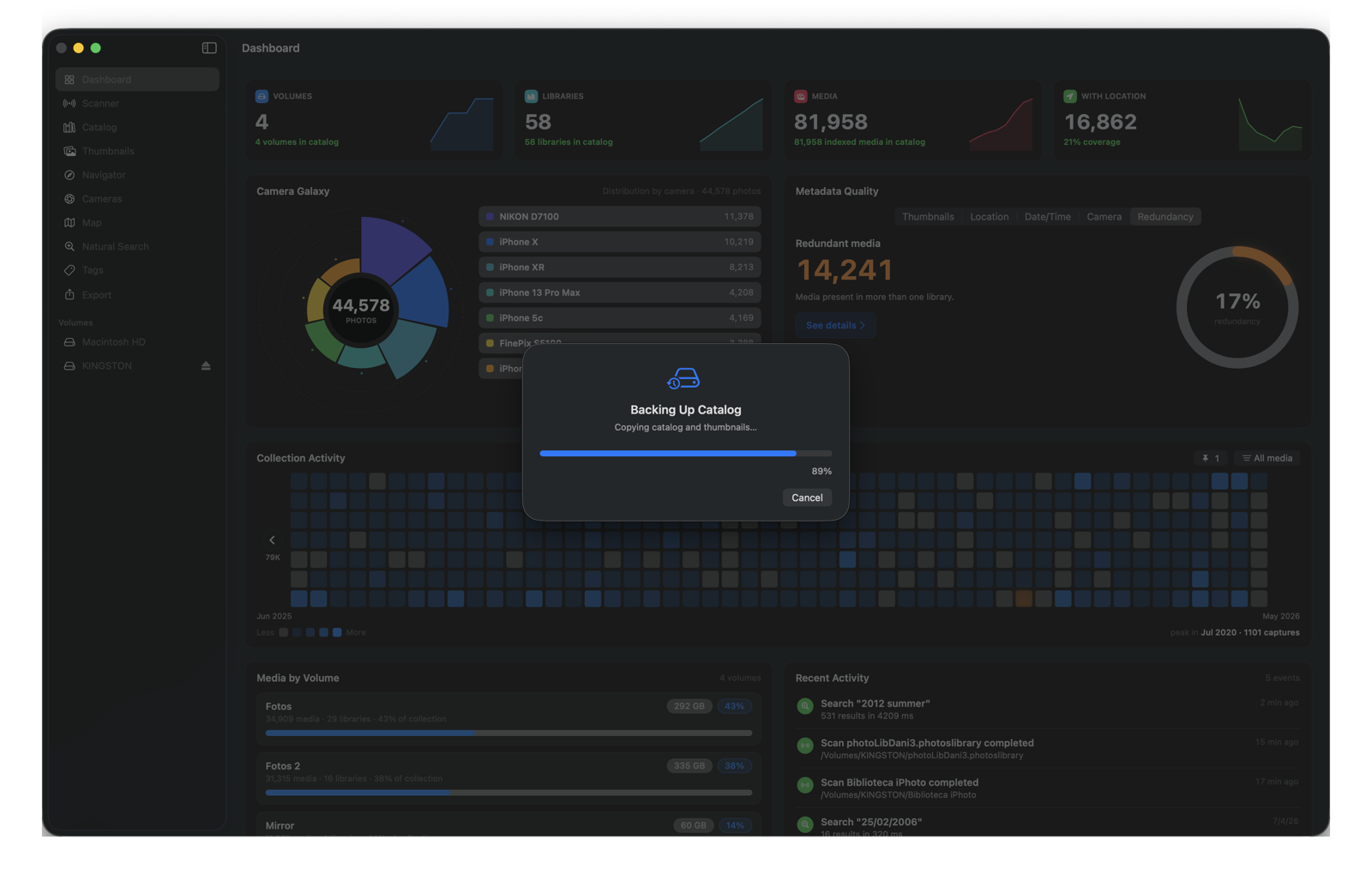
Years of curation — tags, pinned days, the consolidated catalog — deserve protection. Export everything to a backup file in an open, version-independent format, and restore it on another Mac or after a reinstall, straight from the File menu.

  • Full catalog backup in a schema-independent format
  • Restore with a progress window and safe cancellation
  • Compatible across app versions — the format never locks you in
Calypso Photo — Backup in progress
Safety first

Your original libraries stay untouched.

01

Read-only on source

Calypso Photo never writes to the .photoslibrary. It only reads internal metadata.

02

You review before exporting

The app shows exactly which files will be copied and where, and logs everything in a report — before anything is copied.

03

No cloud, no telemetry

Catalog, tags, thumbnails and exports stay 100% local on your Mac. No photo ever leaves your machine.

04

No accidental overwrites

Filename collisions at the destination are auto-resolved with suffixes. No previously exported file is ever overwritten.

Ready to explore decades of memories?

Calypso Photo runs 100% locally on your Mac. Chart what lives across your drives and decide what to export, keep or clean up before any migration.

Calypso Photo 0.1.0 · macOS · Universal Binary · Apple Silicon & Intel